Hue Haven Coloring
Reviews
Hue Haven Coloring stands out for its commitment to a stress-free experience. The interface is clean and intuitive, letting players focus entirely on their artwork. The range of illustrations offers enough variety to keep sessions interesting without overwhelming choices. The ability to adjust brush size and undo mistakes freely encourages experimentation. It is a well-crafted tool for anyone looking to unwind through a simple, creative activity. The lack of any competitive elements makes it a safe and pleasant environment for all ages.
Description
Getting Started with Coloring
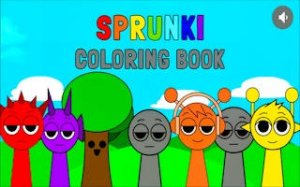
When you open Hue Haven Coloring, you see a gallery of outlines waiting for color. Each picture is a blank canvas. You pick one that catches your eye. Then, you choose a marker from the palette. The screen responds instantly to your touch or mouse click. You can fill large spaces quickly or take time with tiny details. The process is smooth and forgiving. If you make a mark you do not like, you can remove it without penalty. This freedom encourages experimentation.
Tools and Creative Options
The game provides a set of markers in many shades. You can switch between them as often as you like. A slider lets you change the size of your mark. A broad setting covers areas fast. A narrow setting helps with edges and small spots. There is no limit to how many colors you can use on one picture. You can also save your finished work to your device or share it with others. These features support a wide range of artistic preferences.
Design Philosophy for Relaxation
Hue Haven Coloring was built around the idea of low-pressure creativity. There are no points to earn, no levels to complete, and no wrong moves. The interface is clean and straightforward. Buttons are clearly labeled. Menus are simple. This design makes the game accessible to young children and adults alike. The focus stays on the act of coloring itself, not on navigating complex controls. This approach helps players unwind and concentrate on the present moment.
Range of Illustrations
The collection of pictures in Hue Haven Coloring covers various themes. Some images feature animals, while others show plants, patterns, or simple scenes. This variety means players can always find something that suits their mood. New illustrations may be added over time, keeping the experience fresh. Each picture has clear lines and distinct sections, making it easy to decide where to apply each color. The diversity of subjects encourages repeated play.







Comments
0 comments