Pixel Home Protector
Reviews
Pixel Home Protector offers a fresh take on tower defense by making the player actively strike a bouncing ball to repel invaders. The pixel art style and straightforward controls make it approachable for all ages, while the increasing enemy waves provide a gradual challenge. It is best suited for players who enjoy casual strategy with a timing element. The lack of specified multiplayer or mobile support means it is primarily a solo desktop experience.
Description
Defending Your Home with a Bouncing Ball
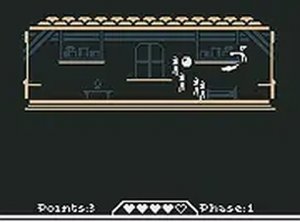
Pixel Home Protector puts you in the role of a guardian protecting a home from incoming invaders. Instead of placing towers or units, your main tool is a magical ball that you strike to send it bouncing around the room. The ball ricochets off walls and objects, and any enemy it touches gets pushed back. Your goal is to clear each wave by positioning and timing your hits so the ball hits as many enemies as possible. [IMG_1]
Timing, Angles, and Strategic Positioning
The challenge comes from reading the ball's trajectory and predicting where it will go after each bounce. You decide when to strike and from which angle, which directly affects how many enemies you hit. Early waves are forgiving, but later rounds introduce more enemies, forcing quicker reactions and smarter targeting. Prioritizing which enemies to push away first becomes a key tactical decision as the screen gets busier.
Simple Controls, Gradual Difficulty
You can play with either a mouse or keyboard, making the game accessible to players of all skill levels. The controls are easy to learn, but mastering the timing and angles takes practice. Each round presents a new challenge with increasing enemy counts. After completing a set number of rounds, you can choose to continue or take a break, which supports short sessions and repeated play.
Pixel Art Style and Family-Safe Play
The game uses a charming pixel art style that gives it a nostalgic, retro feel. There are no inappropriate themes, and the content is family-safe. Pixel Home Protector runs directly in a desktop browser with no downloads or installations required, and it is free to play. A full-screen mode may be available for a more immersive experience. [IMG_2]










Editorial Notes