Hidden Room Puzzle Escape
Reviews
Hidden Room Puzzle Escape delivers a focused point-and-click experience built around observation, item collection, and logical puzzle chains. Its strength lies in the hint system, which prevents frustration without removing the satisfaction of solving. The family-friendly design and simple controls make it approachable for younger players and casual fans. The main limitation is a lack of information about puzzle variety beyond the promise of new mechanics, so players seeking fast-paced action should look elsewhere.
Description
Exploring the Room
Hidden Room Puzzle Escape places you inside a mysterious old room filled with hidden compartments, notes, and objects that seem out of place. Your objective is straightforward: examine every corner, collect useful items, and piece together what the room is hiding. Interaction is handled by tapping or clicking on objects, so there is no complex control scheme to learn. The game rewards careful observation rather than fast reflexes, making it accessible to players of any age.
Puzzle Logic and Item Use
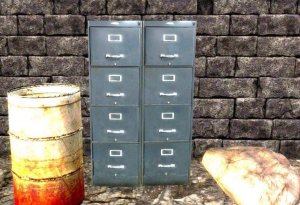
Each puzzle follows a logical chain. You might find a key that opens a locked drawer, which contains a note hinting at a riddle, which in turn reveals a secret passage. Items you collect can often be combined to create new tools. For example, two separate objects might fit together to reach something otherwise out of grasp. The game never relies on guesswork; every solution has a clear, traceable path. [IMG_1]
Hints and Progression
If you get stuck, a built-in hint system offers gentle nudges without giving away the full answer. This keeps the experience moving without removing the satisfaction of solving a puzzle yourself. The room introduces new mechanics and surprises as you progress, so the challenge stays fresh. Because the interface is simple and the hints are always available, players can work at their own pace—whether that means a quick solo session or a shared family activity.
Who It Suits
This is a game for people who enjoy logical thinking, attention to detail, and the quiet satisfaction of unlocking a mystery step by step. It is designed to be family-friendly, with no graphic content or time pressure. The combination of simple controls, clear feedback, and optional hints makes it a good fit for younger players, casual puzzle fans, and anyone looking for a relaxed but engaging brain teaser.






Editorial Notes