Kids Color Studio
Reviews
Kids Color Studio is a straightforward digital coloring tool aimed at young children. Its strengths lie in its simplicity: no timers, no scores, and no wrong choices. The tap-to-fill mechanic and eraser tool give immediate feedback, helping develop fine motor skills. Saving and sharing features extend its usefulness to home and classroom settings. The main limitation is its narrow scope—it is purely a coloring activity without additional game modes or progression systems. It is best suited for parents and teachers seeking a calm, creative outlet for early learners.
Description
Choosing a Character to Color
Kids Color Studio opens with a gallery of friendly characters, including animals and playful figures. Each outline is drawn clearly so children can immediately see where to apply color. The selection screen is intentionally simple, avoiding complex menus or text-heavy instructions. This means kids can start creating without needing an adult to explain the interface.
How Coloring Works
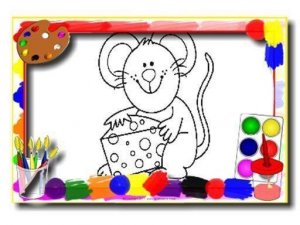
[IMG_1] After picking a character, the child selects a color from a bright palette and taps or clicks on the area they want to fill. The color appears instantly. If a mistake is made, an eraser tool lets them correct it without starting over. This direct interaction helps develop hand-eye coordination and gives immediate visual feedback. Because no reading is required, even very young children can participate independently.
A Pressure-Free Creative Space
There are no time limits, scores, or wrong choices in Kids Color Studio. Children can change colors as many times as they like and experiment with different combinations. This open-ended design encourages creative thinking and builds confidence, as there is no penalty for trying something unusual. The calming pace makes it suitable for quiet activities at home or in a classroom.
Saving and Sharing Artwork
Finished pictures can be saved to the device or shared with family and friends. This feature allows children to keep a personal collection of their creations or show their work to others. It also makes the game practical for teachers who want to display student artwork or for parents who want to preserve their child's progress over time.










Editorial Notes