Rolling Sphere 3D Track Dash
3d Jumping Kids Platform Reaction
Rolling Sphere 3D Track Dash
62
Developer: Film Ember Games
Updated: 2026-07-21

Reviews

Rolling Sphere 3D Track Dash delivers a clean, focused experience that emphasizes timing and spatial awareness. The bright visuals and simple controls make it easy for anyone to start playing, while the increasing speed and track complexity provide a satisfying challenge. The two-player mode adds a fun competitive element, and the unlockable skins give players a reason to keep returning. It is a solid choice for casual gamers looking for a quick, engaging activity.

Description

Core Gameplay Loop

Rolling Sphere 3D Track Dash places players in control of a small sphere that must travel along narrow, elevated pathways. The primary objective is to keep the sphere moving forward for as long as possible while avoiding traps, barriers, and gaps that could end the run. Each session presents a new track layout, ensuring that no two attempts feel exactly the same. The controls are straightforward, allowing players to steer the sphere left, right, forward, or backward with simple inputs. This design makes the game accessible to younger audiences while still offering enough challenge for older players.

Visual Style and Atmosphere

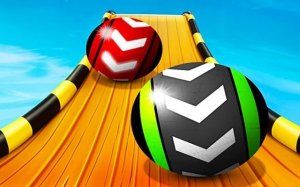
The game uses bright, colorful 3D graphics that create a cheerful and inviting environment. The tracks are set against various sky backgrounds, which change as players progress. The visual design avoids any dark or intense themes, making it suitable for family play. The sphere itself can be customized with different skins, adding a personal touch to the experience. The overall aesthetic is clean and uncluttered, helping players focus on the path ahead.

Progression and Unlockables

As players navigate the tracks, they can collect coins and keys scattered along the way. These items serve as currency to unlock new sphere skins and sky backgrounds. This collection system provides a sense of accomplishment and encourages repeated play. The variety of unlockable items adds replay value without introducing complex mechanics. Players can choose to focus on collecting specific items or simply enjoy the challenge of surviving longer on each track.

Multiplayer and Solo Modes

Rolling Sphere 3D Track Dash supports both single-player and two-player modes. In solo mode, players can practice and improve their skills at their own pace. The two-player mode allows two people to race or cooperate on the same device, each controlling their own sphere with separate sets of keys. This feature makes the game a good option for siblings or friends who want to play together. The multiplayer mode adds a social element that can make sessions more engaging.

Skill Development and Challenge

The game is designed to test hand-eye coordination and quick decision-making. As players progress, the speed of the sphere increases, and the tracks become more complex with tighter turns and more obstacles. This gradual difficulty curve helps players build their reflexes over time. The simple controls mean that success depends more on timing and spatial awareness than on memorizing complex button combinations. This makes the game rewarding for players who enjoy improving their performance through practice.

Compatibility

• OS: Windows 10+, macOS 11+, iOS 14+, Android 10+
• Browsers: Chrome 100+, Safari 15+, Edge 100+, Firefox 100+
• Not compatible with Internet Explorer
Tested on real devices ✅ works as expected

Faq

What platforms is Rolling Sphere 3D Track Dash available on?
The game is typically available on web browsers and mobile devices. Check the official app store or game website for specific platform availability. It is designed to run smoothly on most modern devices with a stable internet connection.
Is Rolling Sphere 3D Track Dash free to play?
Many versions of this game are free to play, with optional in-game purchases for cosmetic items like sphere skins or background themes. Some platforms may offer a paid version with no ads. Always check the store page for the most accurate pricing information.
Can I play Rolling Sphere 3D Track Dash offline?
The game may require an internet connection for initial download and for accessing certain features like leaderboards or multiplayer modes. However, the core single-player mode might be playable offline once the game is fully loaded. Check the game's settings for offline mode options.
How do I unlock new sphere skins in the game?
New sphere skins are unlocked by collecting coins and keys during gameplay. Each skin requires a specific number of coins or keys. Focus on gathering these items on each track to expand your collection. The game clearly shows the requirements for each unlockable item.
Does Rolling Sphere 3D Track Dash have a leaderboard?
Many versions of this game include a leaderboard that tracks high scores. This allows players to compare their best runs with friends or the global community. Leaderboards are usually accessible from the main menu. Some versions may require an account to submit scores.
Is there a way to adjust the difficulty in Rolling Sphere 3D Track Dash?
The game typically does not have adjustable difficulty settings. Instead, the challenge increases naturally as players progress through faster speeds and more complex track layouts. This gradual increase helps players improve their skills without feeling overwhelmed. Practice is the best way to adapt to higher difficulty levels.

Comments

0 comments
U
User
Loading comments...