Poke the Buddy Physics Puzzle
Reviews
Description
Game Introduction
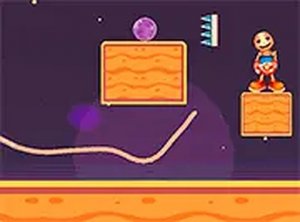
Poke the Buddy is a 2D physics puzzle game that challenges players to interact with a character using various tools. The core objective is to use items like balls and spikes to hit the buddy in each level. This game stands out for its playful art style and realistic physics engine, which makes every interaction feel satisfying. It is designed for quick, casual play sessions and runs directly in the browser without any downloads, making it accessible on both desktop and mobile devices.
How to Play
To play, select a puzzle level from the menu. Once loaded, you will see the buddy positioned in a 2D environment with obstacles and tools. Your goal is to use the provided items—such as balls or spikes—to hit and smash the buddy. You can typically drag, drop, or click to launch these items, depending on the level. The physics engine makes each action feel realistic, so careful aiming is important. Levels become more complex as you progress, requiring creative thinking and precise timing. If you get stuck, you can restart the level at any time.
Game Features
Interactive physics engine that provides realistic reactions to your actions. Simple controls allow for drag, drop, or click interactions. Mobile-friendly design works seamlessly on phones and tablets. No downloads are required for instant play. Many levels with increasing difficulty keep the gameplay fresh and engaging. The game features a playful art style that appeals to players of all ages.
Tips for Success
Experiment with different tools and angles to see how the physics react. Pay attention to the environment and obstacles, as they can be used to your advantage. Practice timing your launches for maximum impact. If a level seems difficult, try a different approach or restart to refine your strategy. Take breaks if you feel stuck, as a fresh perspective often helps. Enjoy the process and have fun with the creative puzzles.
Compatibility
Faq
It seems you’ll love these games.
Skibidi Toilet Launcher Arcade Game
Simple, addictive brick-breaking with precise controls. Great for quick skill-based sessions.

Falling Ice Challenge Arcade
Simple controls and satisfying growth. Levels get harder without feeling unfair. Good for quick plays.

Barbie's Cake Stacking Arcade
Simple tap controls and cheerful design. Great for quick, relaxing play sessions.
Heroic Slingers: Alien Defense
Charming physics game with gentle aliens and bright worlds. Easy to learn and relaxing to play.
Swing Toilet Arcade Game
Clean controls and escalating difficulty. A fun way to test reflexes during short breaks.
Tower of Destiny Arcade Platformer
Clean one-click controls and gradual difficulty. Ideal for quick breaks or longer practice sessions.

Pilot Ryan: Projectile Evasion Flight
Clean design and smooth controls. A great way to test your reflexes during short breaks.

Cup of Joe Climbing Game
Clean design and smooth gameplay. Great for short breaks and improving timing skills.
Geometry Flap Reflex Arcade
Clean design and smooth gameplay. Great for short breaks and improving reflexes.

Neon Rush 3D Reflex Arcade
Clean neon visuals and smooth controls. A great reflex challenge for short breaks.