Bouncing Orb Arcade Game

Reviews
Bouncing Orb Arcade Game narrows the arcade jumper down to a single decision: how long to hold left or right. That focus is its strength. There is no story, no upgrade path, and no enemy variety, so players who need those elements will lose interest quickly. But for short reflex sessions in a browser, the automatic jumping and instant failure loop create a clean, repeatable challenge. The mobile and desktop controls are equally simple, and the lack of downloads or registration keeps the barrier to entry low.
Description
Steering a Self-Propelled Orb
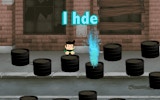
The orb does not wait for a jump command. It leaps on its own from one green block to the next, and your only job is to decide where it lands. Holding the left or right button sets its horizontal path; release and the orb continues along that line. Because the jump happens automatically, every block becomes a small timing test: hold too long and you overshoot, release too early and you drop short. The void below punishes both mistakes equally.
Reading the Block Layout
Green blocks form the entire playable surface, and their spacing is what creates difficulty. Early gaps are forgiving, giving you room to learn how holding a direction bends the orb's arc. As the layout continues, the pace may increase, so the same hold that worked on a wide gap can send you past a narrow platform. There are no enemies, timers, or collectibles to manage. The only resource is your attention to where the next block sits before the current jump finishes.
Controls Across Devices
On desktop, the left and right arrow keys steer the orb. On mobile, tapping and holding the left or right side of the screen does the same thing. No downloads, accounts, or tutorials stand between you and the first jump. Full-screen mode removes browser clutter if you want a cleaner view of the blocks. The control scheme is deliberately minimal, which means improvement comes from reading gaps faster rather than memorizing button combinations.
What Makes a Run End
A single missed landing ends the attempt. There is no health bar, no extra life, and no checkpoint to soften the fall. That structure makes Bouncing Orb Arcade Game a short-session game by design: you play until you mistime a hold, then start again with the layout reset. Players who enjoy chasing personal bests or warming up their reflexes for a few minutes will get the most from it. Those looking for level variety, story, or progression systems will find the scope intentionally narrow.






Editorial Notes